
Custom software development for businesses
Custom software for your company.
Work orders, inventory, scheduling, finance, customer portal: we develop your company's system as a custom web application, from the first process review to daily operation.
Custom software development is the creation of software built for the processes of a specific business, instead of adapting the business to an off-the-shelf program. A custom web application runs in the browser, on a computer or a phone, with nothing to install: it sits on a server, keeps the data in one place, controls who can see and do what, and replaces spreadsheets and manual controls when the ready-made systems on the market do not fit.
Updated on
What custom software development includes.
Process review
We map how the work happens today, who takes part, what data circulates and where the bottlenecks are.
System in the browser
Login access on computer and phone, with permission profiles per user and a record of who changed what.
Reports and dashboards
The numbers your company tracks, updated with every entry, with no spreadsheet to put together by hand.
Integrations
API connections with the systems your company already uses, such as ERP, online store, payment providers and WhatsApp.
Security and data protection
SSL connection, protected passwords, minimum necessary access and personal data handled in line with the LGPD, Brazil's data protection law.
Hosting, support and new features
Managed hosting with daily backups, support, and new features as the company grows.
Systems we have developed
Some of the systems we have built and maintain for companies. The screens were recreated with fictitious data to protect our clients' information. Click one of them to see the details.
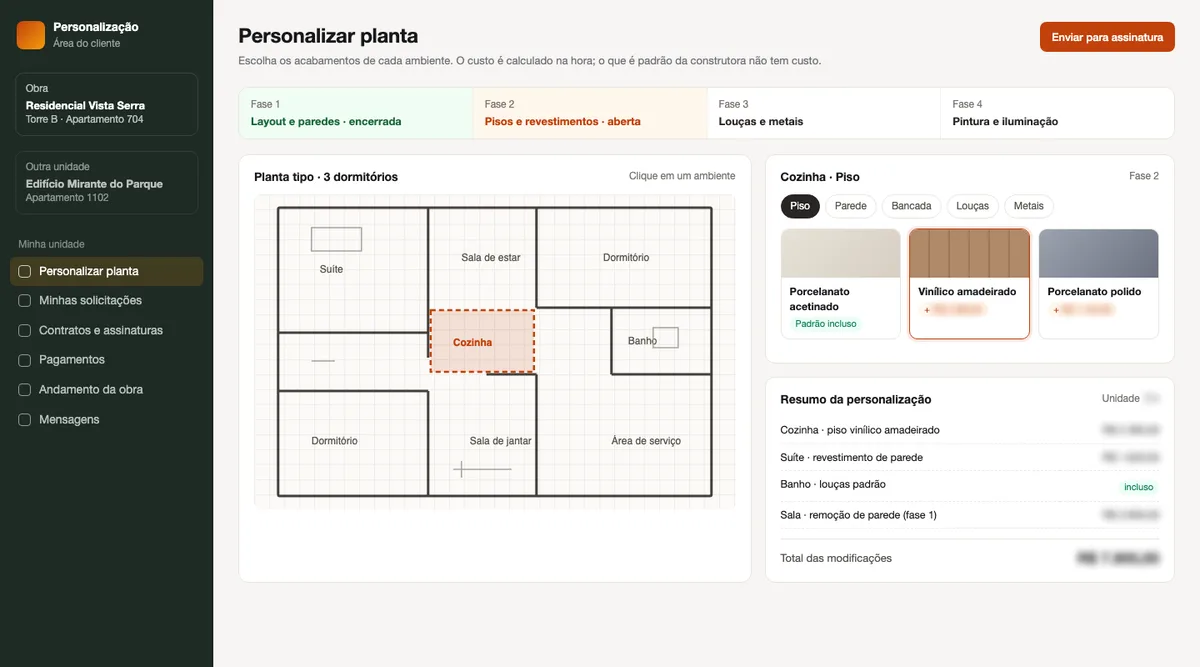 Construction
Home customization software for builders
A panel where the home buyer requests changes to the floor plan according to the construction phase, with the cost calculated on the spot and the change agreement signed in the system.
See the project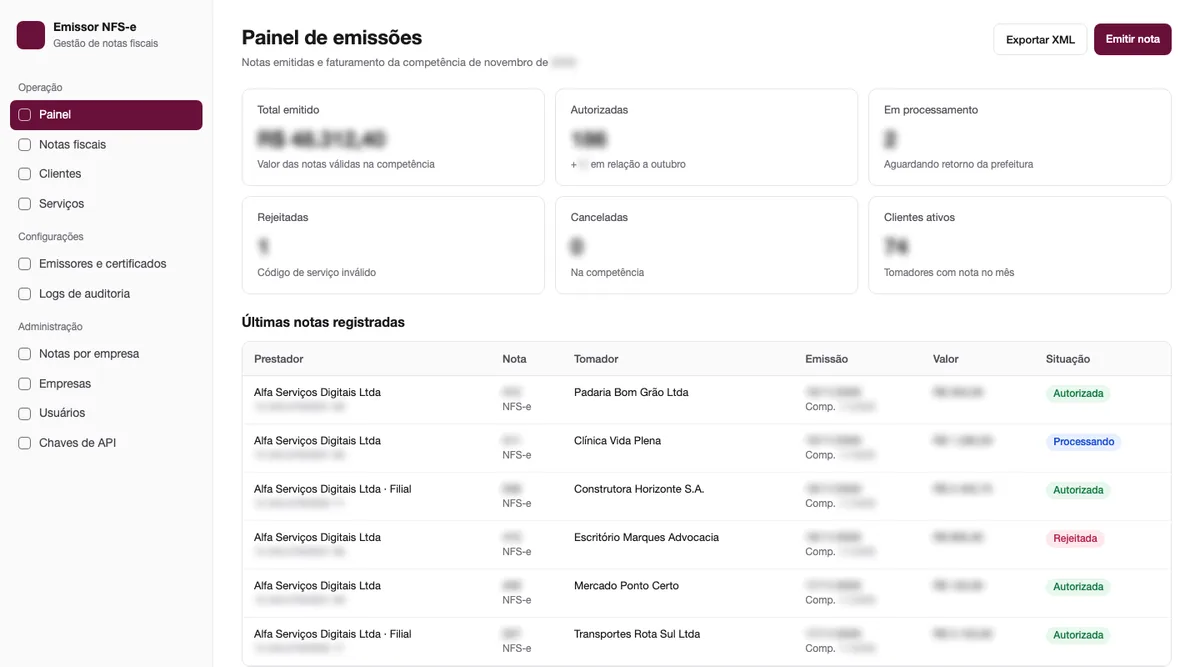 Tax
Electronic service invoicing system (NFS-e)
Issuing and tracking of electronic service invoices (NFS-e, the Brazilian standard) for several companies and branches, with audit logs and an API that lets other systems issue invoices.
See the project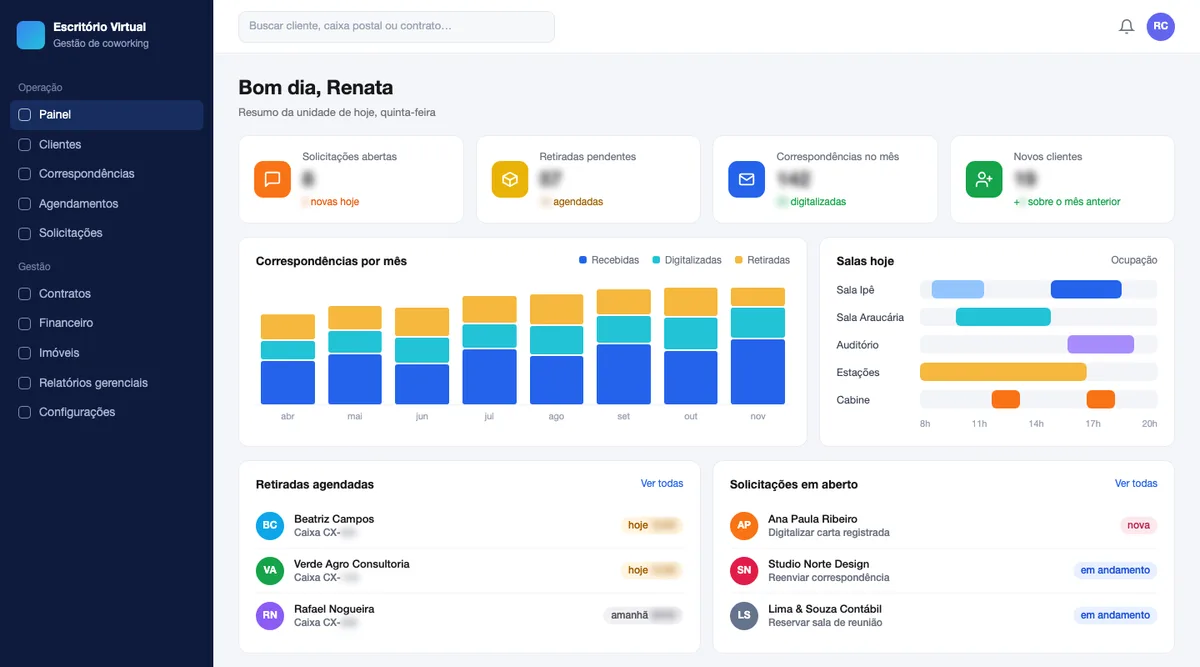 Coworking
 and virtual office management software
Customers, contracts, finances, scheduling and mail in a single system, with a portal where each customer follows their own mailbox.
See the project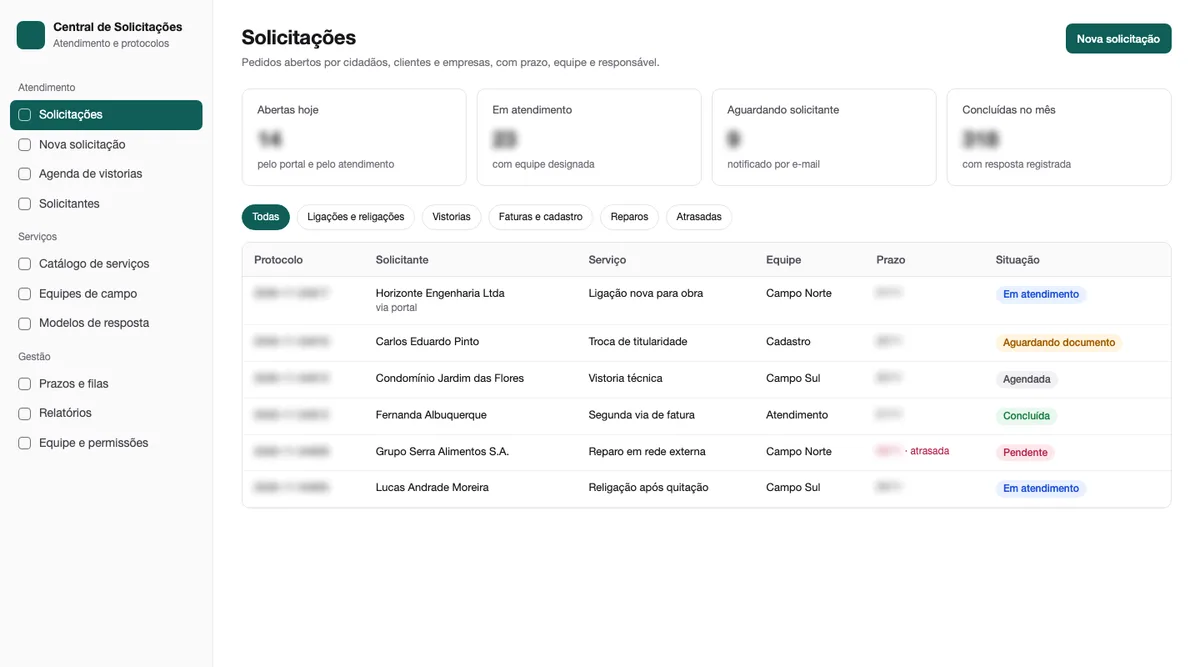 Services and public sector
Service request system for public-sector and service companies
Requests opened by citizens, customers and companies, followed by tracking number, with a queue for each service, a responsible team and a deadline.
See the project Compliance
Whistleblowing system
Receives reports, including anonymous ones, with a tracking number for the person reporting and access restricted to those who investigate.
See the project
Custom software, off-the-shelf software or a spreadsheet?
These are three ways to organize an operation, and each has its moment. Many companies start with a spreadsheet, move on to off-the-shelf software and only later need a custom system, sometimes connected to the off-the-shelf software they already use.
| Spreadsheet | Off-the-shelf software (SaaS) | Custom web application | |
|---|---|---|---|
| What it is | An Excel or Google Sheets file put together by the team | A market product, rented through a monthly subscription | A system built for the company's processes |
| A good fit for | Few users, a simple process, a new operation | Processes common to many companies: invoicing, payroll, accounting | A process of your own, which sets the company apart or does not fit off-the-shelf systems |
| Getting started | Immediate | Quick: sign-up and setup | After the process review and development |
| Cost | Low in money, high in rework as it grows | Monthly fee, which usually rises per user or per module | Investment in development, plus hosting and maintenance |
| Access control and history | Fragile: anyone can change or delete | Whatever the vendor offers | Profiles, permissions and a change log defined by the company |
| Adapting to the process | Easy at first, hard to maintain | Limited to what the vendor allows | Full: the system follows the process |
| Data | Scattered across files and copies | On the vendor's server | On a server chosen by the company, with free export |
Types of business systems by area
Almost every company has at least one process that calls for a system of its own. These are the most common ones, by area. A single system can bring several of them together, with shared records.
| Area | Common systems | What they solve |
|---|---|---|
| Operations and services | Work orders, ticket tracking, field checklists | History per customer and per piece of equipment, visible deadlines, no more paper or WhatsApp groups |
| Inventory and production | Inventory control, production reporting, batch tracking | Stock levels per location, low-stock alerts, traceability of what was produced |
| Sales and customer service | CRM, quotes and proposals, catalog for sales representatives | Sales pipeline, standardized proposals, follow-up on every negotiation |
| Scheduling | Booking by professional, room or equipment | Scheduling conflicts avoided, automatic confirmation for the customer |
| Finance | Accounts payable and receivable, cash flow, reconciliation | A view of cash by period and by cost center, connected to the other modules |
| Customers and partners | Customer portal, sales representative area, supplier portal | Access to orders, documents and boletos (Brazilian bank slips) without depending on email or phone |
| People and internal routines | Intranet, document management, internal requests and approvals | Approval flows with a record, documents in the right version, less paper |
| Management | KPI dashboards, management reports | The company's numbers in one place, pulled from the systems it already uses |
How to develop a system for your company, step by step
This is the path we follow in every project. It is also useful if you are going to hire another company or evaluate a software development proposal.
- 1Step 1
Describe the problem, not the screen
Start with what goes wrong today: rework, lost information, delays, lack of control. A well-described problem decides what the system needs to have.
- 2Step 2
Map the current process
Who does each step, what data goes in and out, which spreadsheets and systems are involved. Exceptions and rare cases go on the map from the start.
- 3Step 3
Define the scope of the first version
Separate the essential from the nice-to-have. A smaller first version, in real use, teaches more than a large project that takes a long time to come out.
- 4Step 4
Design the screens and validate them with the people who will use them
Prototypes of the main screens, reviewed by the team that will operate the system, before any programming.
- 5Step 5
Develop in short cycles
Partial deliveries, tested and approved in each cycle. Changes of direction show up early, when they cost little.
- 6Step 6
Migrate the data and train the team
Records and history brought over from spreadsheets or the old system, checked before the switch, and training for the people who will use it.
- 7Step 7
Go live and follow up
Hosting, backups, monitoring and a list of improvements fed by real use in the first weeks.
What a business system needs to have
A checklist for a new system or for evaluating the one your company already uses.
Legal and data
- Personal data handled according to the data protection law that applies to you, such as the LGPD in Brazil (Law 13,709/2018) or the GDPR in the EU, with a legal basis defined for each use of customer, employee or supplier data.
- Security measures to protect personal data against unauthorized access, loss or leaks, as required by art. 46 of the LGPD in Brazil.
- A plan for reporting security incidents to the data protection authority (the ANPD in Brazil) and to the people affected when the incident may cause significant risk or harm, as set out in art. 48 of the LGPD.
- Ownership of the code and the data written into the contract. Under Brazil's Software Law (Law 9,609/1998, art. 4), unless otherwise agreed, a commissioned program belongs to whoever commissioned it.
Technical and operations
- Encrypted connection (https) on every screen, including access by phone.
- Permission profiles per user and a record of who created, changed or deleted each piece of information.
- Protection against the most common web application flaws, listed in the OWASP Top 10, such as code injection and broken access control.
- Daily backups, stored off the main server, and regular restore tests.
- Data export in an open format, such as CSV or a spreadsheet, so the company is not locked in to the vendor.
How artificial intelligence fits into business systems
Artificial intelligence in a business system is not a robot that replaces the system: it is a function inside it, which reads text, understands requests and suggests answers based on the data the company already has. Language models, such as the ones behind ChatGPT, Gemini and Claude, can be connected to the system through an API.
The uses that make the most difference day to day:
What AI does well
- Read documents, such as orders, invoices and contracts, and fill in the system's fields for someone to check.
- Classify messages and tickets that arrive by email or WhatsApp and route them to the right person.
- Answer customers on WhatsApp with information from the system itself, such as order status or available time slots.
- Summarize long histories and answer questions about the data in plain language, such as "which orders were late this month".
Precautions the project needs
- Actions that touch money, inventory or customer data require confirmation from a person.
- Personal data only goes to an AI service with a legal basis under data protection law, such as the LGPD in Brazil, and the service's contract must say whether the data can be used to train models.
- Every AI answer and action is recorded, so it can be checked and corrected.
- The AI uses the system's data as its source instead of answering from memory, which reduces made-up answers.
AI makes mistakes, so it goes where a mistake is easy to notice and correct. In many projects, the first version of the system ships without AI, which is added once the data is already organized.
Web application, mobile app or installed program?
The word "system" covers different things. For most internal business systems, a web application is the simplest option to maintain.
| Type | How it works | When to choose it |
|---|---|---|
| Web application | Accessed through the browser, with a login, from a server | Internal systems, portals and dashboards used by teams in several places and on several devices |
| Mobile app | Installed from the Apple or Google store | When use depends on the camera, GPS, notifications or working offline on the phone |
| Installed program | Installed on each computer | When it needs to work offline or control equipment connected to the machine |
How it works
Assessment
We review the process, the users and what the system needs to solve.
Scope and prototype
We define the first version, the main screens, the technology and the schedule.
Development
We deliver in cycles, with your team validating each step.
Rollout and evolution
Data migration, training, go-live, support and improvements.
Who it is for
- Companies that run their operation on spreadsheets and already feel the limit: rework, conflicting versions and lost information.
- Companies whose process does not fit off-the-shelf systems, or that pay a lot for modules they do not use.
- Companies that use several systems that do not talk to each other and want the data in one place.
- Companies that want to offer a portal or a login area to customers, sales representatives or suppliers.
When it is not the right fit
- Anyone who needs a program installed on the computer that works offline.
- Anyone well served by an off-the-shelf system, such as an invoicing tool or a payroll system: in that case, we recommend the off-the-shelf one.
- Anyone looking for an app to publish in the Apple and Google stores.
Frequently asked questions about custom software development
- What is a custom web application?
- It is a system built for the processes of a specific company and accessed through the browser, with a username and password. It sits on a server rather than on each computer, and it can be used on a computer or phone from anywhere with internet access.
- When is custom software worth it instead of an off-the-shelf system?
- When the company's process is different from what off-the-shelf systems offer, when adapting to the off-the-shelf system takes more work than it saves, or when the monthly fee per user gets high as the team grows. If an off-the-shelf system solves the problem, it is usually the cheaper option, and we say so.
- How much does it cost to develop custom software?
- It depends on the number of screens, the rules of the process, the user profiles and the integrations. After the assessment we present a fixed scope and price, before any development.
- How long does it take to develop a system?
- It depends on the size of the scope and on how available your team is to validate each step. That is why we work with a smaller first version, which goes into use sooner, and with a schedule agreed at the start of the project.
- Does my company own the system's code and data?
- Ownership of the code and the data is written into the contract before development starts. Brazil's Software Law (Law 9,609/1998) already assigns a commissioned program to the client, unless otherwise agreed, and the data can be exported at any time.
- Does the system work on a phone?
- Yes. The systems are built to work in the browser on computers, tablets and phones, with nothing to install.
- Can the system integrate with WhatsApp and the systems we already use?
- Yes. We integrate through APIs with ERPs, online stores, payment providers, spreadsheets and WhatsApp, as long as the other system offers a way to integrate.
- Can artificial intelligence be added to the system?
- Yes. AI can read documents, classify messages, answer customers with data from the system and summarize information. Sensitive actions require confirmation from a person, and personal data is handled according to the LGPD, Brazil's data protection law (Law 13,709/2018).
- Who hosts and maintains the system after delivery?
- We can host the system on our managed hosting, with daily backups, and continue with support and new features. If your company prefers, the system can be installed on other infrastructure.
Do you have a process that needs a system?
Tell us how it works today and what goes wrong.